Prometheus 82
A downloadable tool for Windows
What is Prometheus 82?
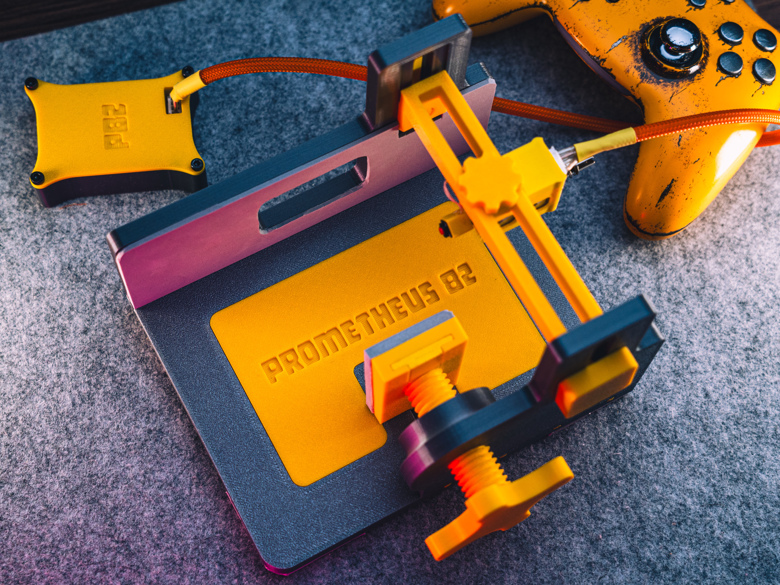
Prometheus 82 (also known as the "Gamepad Punch Tester") is an open-source hardware-software complex designed for high-precision measurement of gamepad input latency. This tool is intended for enthusiasts, developers, and competitive gamers who need accurate and reliable data on their controllers' performance.
Unlike many software-only methods, Prometheus 82 measures the full latency cycle—from the physical press to the signal being registered by the system.
How does it work?
The system combines hardware and software components:
- Hardware: Based on Arduino and uses a solenoid to physically actuate the gamepad's buttons and sticks. This simulates a real finger press, ensuring the most realistic testing conditions.
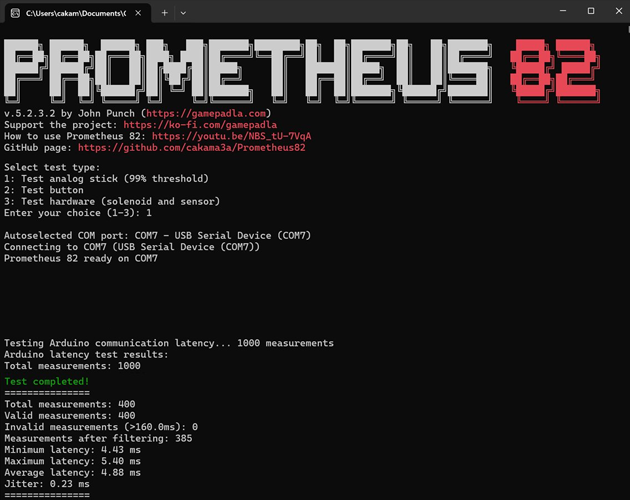
- Software: Python scripts control the device, send commands to the solenoid, and precisely record the time between physical actuation and the software response (receiving the signal from the gamepad).
This "physical punch" method allows for capturing the complete signal delay, including the button's mechanical latency and the controller's signal processing time.
What's included in this project?
By downloading this project, you will get:
- Software: All the necessary Python scripts to run the tests.
- 3D Models: STL files for 3D printing the "Prometheus 82 Gamepad Testing Stand," which securely holds the gamepad during testing.
- Instructions: Documentation (check the
READMEon GitHub) on how to assemble the device and run the tests.
The project is open-source, so you can review the source code, modify it, and contribute on our GitHub.
Download
Install instructions
Please Note: Prometheus 82 is an advanced hardware and software project. To use it, you will need to source physical components (like Arduino and a solenoid) and 3D print the parts.
The download file provided here contains the Python scripts for running the tests and the STL files needed for 3D printing the testing stand.
Required Hardware (Not Included):
- An Arduino (check GitHub for the specific model)
- A solenoid (for the "punch" mechanism)
- Various electronic components (wires, breadboard, etc.)
- A 3D Printer (or access to one) to print the stand
General Setup Instructions:
- 3D Print: Use the included STL files to print all parts of the testing stand.
- Assemble Hardware: Follow the assembly guide and wiring diagrams available on the project's GitHub page to build the physical device.
- Software Setup:
- Ensure you have Python installed on your computer.
- Install any required Python libraries (check the
READMEfile on GitHub). - Flash the Arduino with the firmware provided in the repository.
- Run Test: Connect the assembled Prometheus 82 device and your gamepad to your PC, then run the main Python script to start testing.
For the most detailed, up-to-date instructions, full bill of materials (BOM), and circuit diagrams, please refer to the Official GitHub Repository.
Leave a comment
Log in with itch.io to leave a comment.